PNG Background Remover
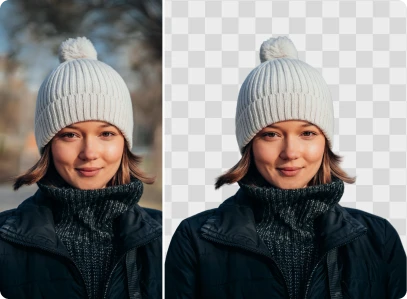
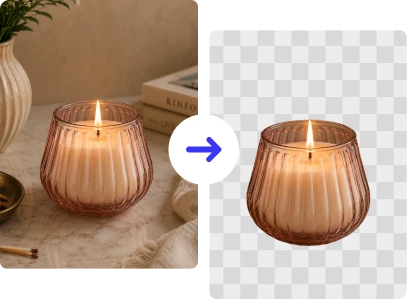



How to Remove the Background from a PNG?
Follow these three easy steps to turn any PNG into a clean, transparent image in seconds.
Upload Your PNG
Click Upload or drag and drop your PNG into ClipSnap. JPG and WEBP formats are also supported.
Remove the Background Automatically
ClipSnap's AI detects your subject and removes the background with sharp, precise edges, even around hair and fur.
Download Your Transparent PNG
Download a clean transparent PNG, or swap the background for a solid color like white, black, or a custom shade.
Seamless PNG Editing for Any Image
High quality background removal for any PNG image

Features of the ClipSnap PNG Background Remover
True PNG Transparency
Get a real transparent PNG with a clean alpha channel, ready for any design project.
Remove Background in Seconds
Upload your PNG and get a transparent background back in just a few seconds.
Precision Edge Detection
ClipSnap's AI reads fine edges like hair and fur closely, so you avoid jagged lines and halos.
High-Quality PNG Output
Your subject stays sharp and clear. Removing the background will not blur or distort your PNG.
Commercial Use Allowed
Use your transparent PNGs freely for personal, business, or commercial projects.
Privacy and Data Security
Your images are protected with encrypted transfers. Uploaded files are automatically deleted after processing.
Beginner-Friendly Interface
Simple to use with a clear layout. No design skill or software needed.
Works on Any Device
Compatible with desktop and mobile browsers across iOS, Android, Mac, and Windows.
Remove Background from PNG Images Online, Fast and Free
ClipSnap's AI removes the background from any PNG in one click. Upload your image and download a transparent PNG, a white background, or a precise cutout in seconds. No tools or design skills needed.
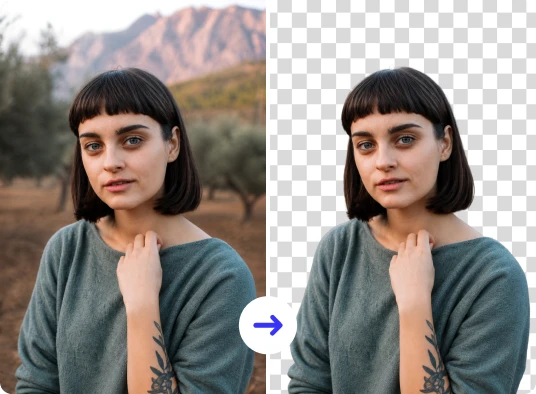
Create a Transparent PNG in Seconds
A busy background weakens your PNG, whether it is a logo, product shot, or social graphic. ClipSnap isolates your subject with pixel-level precision and builds a clean alpha channel, so edges stay sharp and natural.
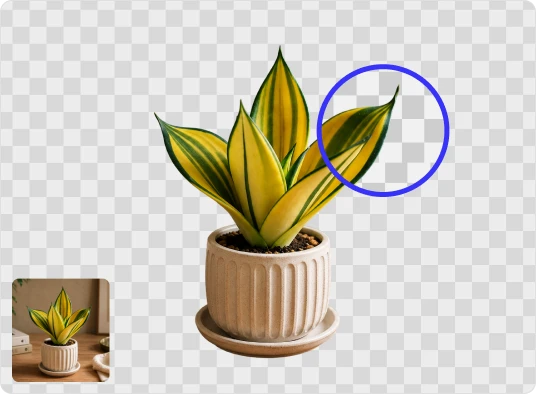
Add a Background Color to Your PNG in One Click
A transparent PNG is useful, but sometimes you need more. Explore the full color wheel, use the picker to match your brand, or choose from an automatically extracted palette. It takes one click.

Turn PNG Product Photos into Clean, Professional Images
Background clutter and uneven lighting pull attention away from your product. ClipSnap removes distractions from your PNG in seconds. Keep it transparent, or switch to a solid color that matches your brand.

PNG Background Remover Use Cases
Create clean, transparent PNGs for design, marketing, and everyday use.
Logo and Graphic Design
E-Commerce Product Photography
Social Media and Content Creation
Print and Marketing Materials
Frequently Asked Questions
Built by the team behind FreeConvert, trusted by millions worldwide, ClipSnap brings the same secure and reliable experience to AI-powered photo editing.