Background Color Changer
Change the background color of any image in one click. Fast, free, and powered by AI.





How to Change Background Color of an Image
Follow these 3 easy steps to change the background color of any photo and get a clean, professional result instantly and for free.
Upload Your Image
Drag and drop, paste, or select the photo you want to edit. Our background color changer supports JPG, PNG, JPEG, and WebP formats. For best results, use an image with a clearly visible subject.
Change Background Color
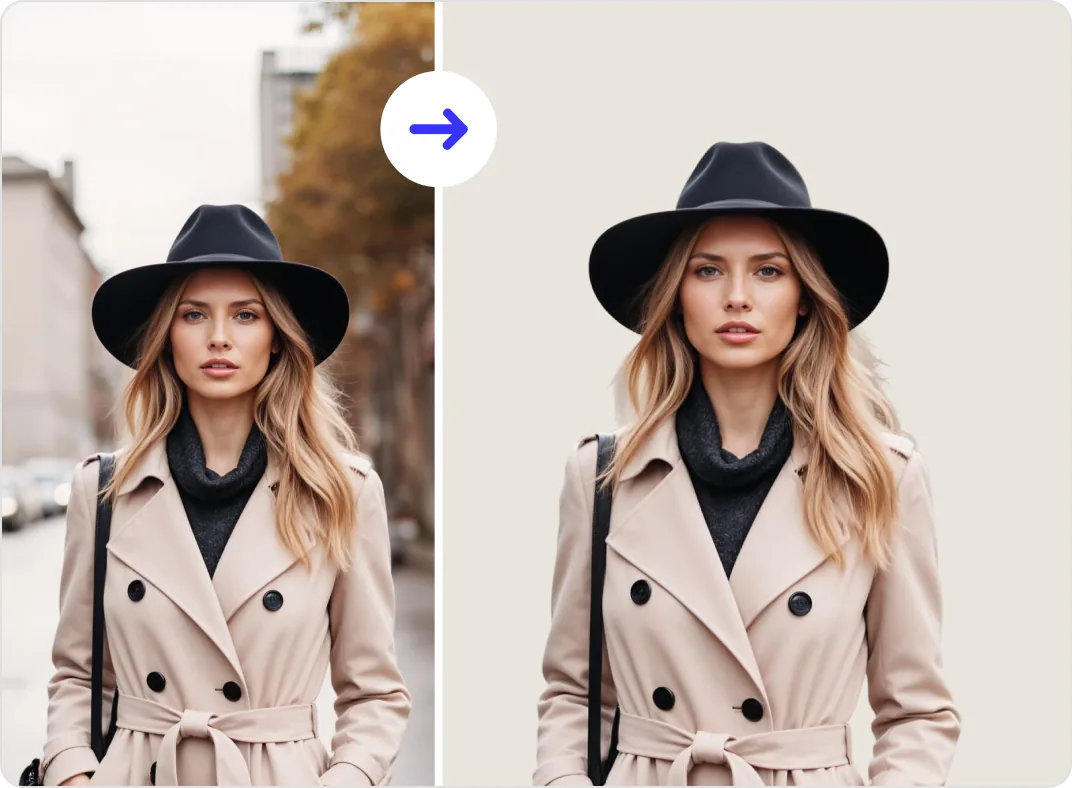
Our AI background color changer instantly detects your subject and removes the original background. Then simply pick any color from the color wheel, enter a HEX or RGB value, or select from your image's extracted palette. The background updates in real time with no manual selection needed.
Download and Use Your Image
Download your finished photo as a high-resolution PNG. Your subject stays sharp and clean against the new background color. Perfect for product photos, social media posts, profile pictures, and marketing visuals.
Seamless Editing for Any Image
High Quality Background Color Changing for Any Image

Features of ClipSnap Background Color Changer
Full Color Picker Control
Choose any color using the wheel, enter HEX or RGB values, or pick directly from your image.
Change Background Color in Seconds
Upload your photo and get a clean, color-changed result instantly with AI precision.
Precision Edge Detection
Advanced AI isolates fine edges, including hair, fur, and product outlines for a professional finish.
Fast and Reliable
Get consistent, high-quality background color changes every time with no slowdowns.
High-Resolution Downloads
Export crisp, detailed images that keep your subject sharp and ready for any platform.
Commercial Use Allowed
Use your edited images freely for personal, business, product listings, or commercial projects.
No Design Skills Needed
Clean layout and simple controls make this tool easy for anyone to use right away.
Works on Any Device
Fully compatible with desktop and mobile browsers on iOS, Android, Mac, and Windows.
Change Image Background Color and Make Your Product the Focus
A product with a distracting background loses attention before the customer even reads the description. The wrong color, a busy pattern, or an uneven setup all pull focus away from what you are selling. ClipSnap's AI background color changer removes the original background automatically and lets you replace it with any color that puts your product front and center. Pick from the colors already in your image, choose from the full color wheel, or type in any HEX or RGB value. No manual selection, no layer editing. Just a sharp, focused product photo ready to use.

Keep Your Brand Color Consistent Across Every Photo
Inconsistent backgrounds make a storefront look unfinished. When one product photo has a white background, another has grey, and a third has whatever was behind the product at the time, the whole catalog feels off. ClipSnap's online photo background color changer lets you apply the exact same color to every image. Type in your HEX or RGB value and every photo gets the same treatment. Consistent backgrounds build a more professional look across your website, social media posts, and marketplace listings without any extra effort.

Get a White Background That Meets Marketplace Requirements
Amazon, eBay, and Shopify all have image guidelines. Most require a pure white background for main product photos. Submitting images with the wrong background can get your listing rejected or pushed down in search results. With ClipSnap, changing the background color to white takes seconds. Upload your photo, let the AI remove the original background, and select white from the color picker or type in #FFFFFF. Your image is clean, compliant, and ready to upload. No reshooting, no editing software needed.

Change Background Color of Any Photo With No Design Experience
Most image editing tools assume you already know how to use them. Layers, masks, selection tools, and adjustment panels add up fast. ClipSnap's image background color changer skips all of that. Upload your photo and the AI isolates your subject automatically. Then pick a color from the wheel, enter a HEX code, or pull one directly from your image. No tutorials, no software to install, no prior experience needed. Whether you are a seller, a content creator, or just someone who needs a clean photo, you can get a professional result on your first try.
Background Color Changer Use Cases
Create clean, on-brand images with our background color changer for everyday use.

E-commerce Product Photography
Give every product a clean, consistent background that meets marketplace standards on Amazon, eBay, and Shopify.
Social Media and Content Creation
Create on-brand visuals for Instagram, TikTok, Pinterest, and Facebook ads with the right color backdrop every time.
Corporate and LinkedIn Headshots
Replace busy backgrounds with solid, professional colors that work for team pages and LinkedIn profiles.
Marketing and Advertising
Build consistent, high-converting ad creatives with uniform backgrounds that keep the focus on your subject.
Frequently Asked Questions
Built by the team behind FreeConvert, trusted by millions worldwide, ClipSnap brings the same secure and reliable experience to AI-powered photo editing.