AI Bangs Filter
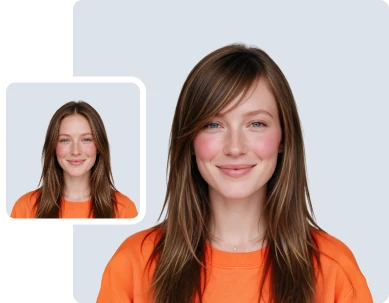
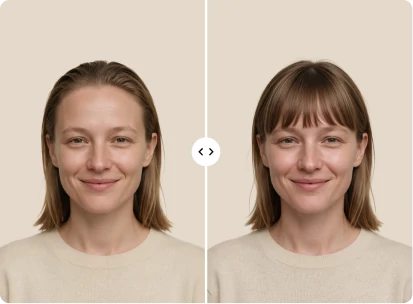
Upload a photo and try on bangs with AI. Preview blunt, wispy, curtain, and side-swept fringe styles in seconds.



How to Use the AI Bangs Filter
Follow these 3 easy steps to add bangs to a photo and preview different fringe styles in seconds.
Upload Your Photo
Drag and drop, paste, or select the photo you want to use. The AI bangs filter supports JPG, JPEG, PNG, and WEBP files up to 30MB. For realistic results, choose a clear, front-facing photo where the face, forehead, and hairline are easy to see.
Pick a Bangs Style, Color, and Volume
Open the male or female tab and browse visual bangs presets. No need to know the style names. Pick a hair color and volume level, or keep the original for any of them. Want something specific? Use Custom mode to describe the fringe you want or add a reference image.
Generate and Download Your New Look
Click Generate and the AI adds the bangs while keeping the face unchanged. Your image is ready to download in seconds. Want to fine-tune it? Open it in the ClipSnap editor with one click. The editor is always optional.
Bangs Simulator for Every Style
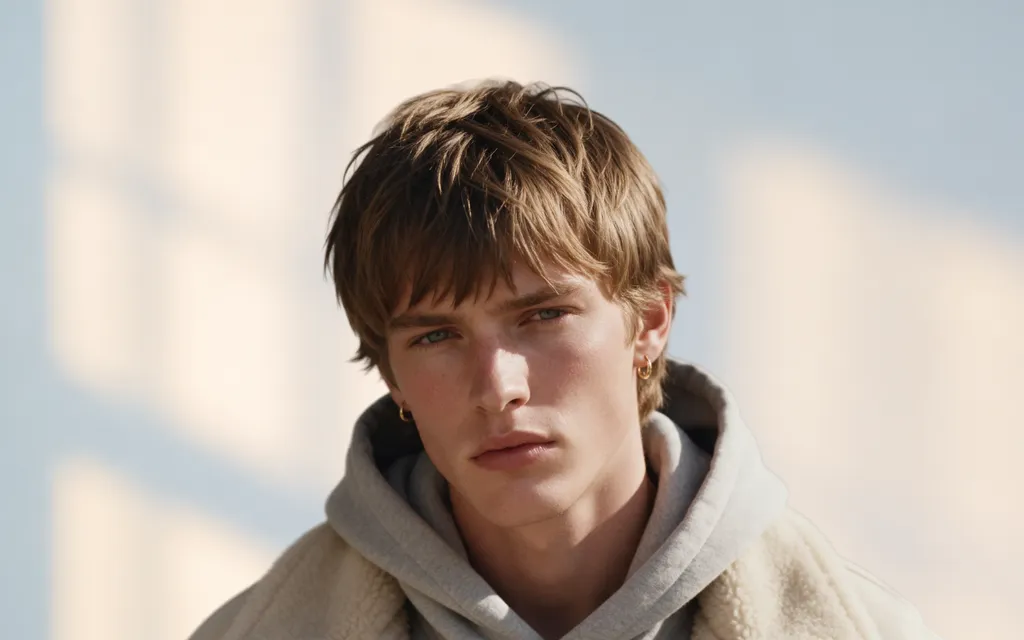
Realistic AI bangs and fringe styles for men and women
Features of the ClipSnap AI Bangs Filter
Bangs Styles for Everyone
Browse fringe styles for men and women, from blunt to wispy to curtain bangs.
15+ Hair Colors
Keep your original color or switch to natural shades, grey tones, or fashion colors.
Hair Volume Control
Set volume from flat and sleek to extra volume, or keep the natural look.
Custom Bangs Mode
Describe the fringe you want or add a reference image of a look you love.
Your Face, Unchanged
The AI adds the bangs and preserves identity. Only the hair changes.
Natural Hairline Blending
Bangs match the existing hair color, texture, and hairline instead of looking pasted on.
Keep Refining with AI Edit
Not quite right? Ask for a darker color or a fuller fringe, no need to start over.
Works on Any Device
Works in desktop and mobile browsers across Windows, Mac, iOS, and Android.
Try On Bangs Online with a Free Bangs Filter
Bangs are a big commitment. Once they are cut, growing them out takes months. With ClipSnap's free bangs filter, you can see the look on a real photo first. Upload a picture, pick a style from the female or male tab, and generate a preview in seconds. Try blunt bangs, wispy bangs, curtain bangs, a mini fringe, or a side-swept look. You do not need to know what any of them are called. Tap a style, see the result, and compare as many as you like until one feels right.
See How You Would Look with Bangs Before the Salon
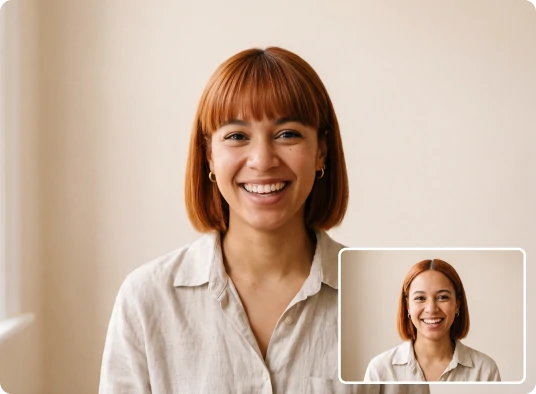
“How would I look with bangs?” is hard to answer in front of a mirror. Photos of models show the style on someone else's face, hairline, and hair texture. The AI bangs simulator applies the fringe to your own photo instead. It blends the new bangs into the existing hairline and matches the hair color and texture, so the preview looks like a real haircut and not a sticker on the forehead. Generate a few options, save the ones you like, and bring them to your next appointment.
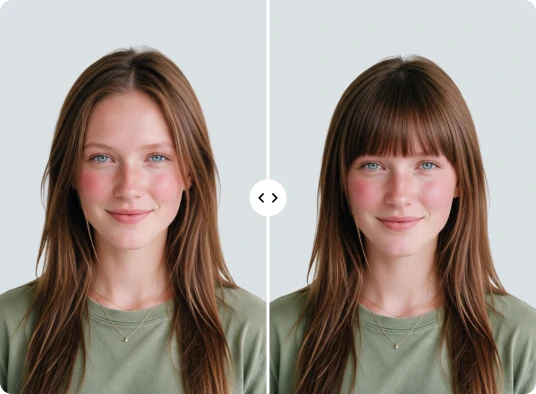
Use the AI Bangs Generator to Mix Styles and Colors
The fringe is only part of the look. With ClipSnap, hair color and volume are separate settings, so you can change one without losing the other. Keep the same bangs and preview 15 hair colors, from natural shades like blonde and ash brown to grey tones and fashion colors. Then set the volume from flat and sleek to voluminous or extra volume, or keep the original. A wispy fringe in dark brown reads very differently from the same fringe in platinum. Mix and match until the preview matches the look in your head.
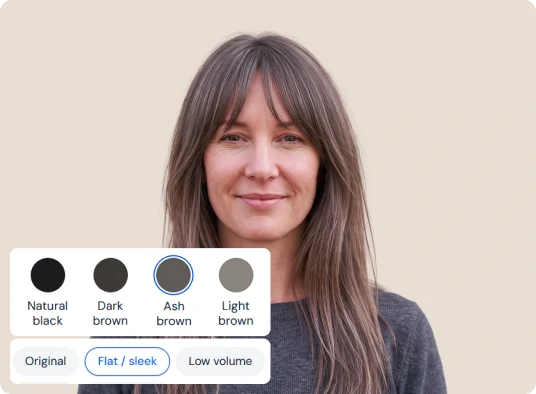
Describe Your Own Bangs or Add a Reference Photo
Already know the fringe you want? Switch to Custom mode. Type a short description of the bangs you are picturing, including color and volume, and the AI bangs generator applies it to your photo. You can also add a reference image of a fringe you saw online, on a friend, or in an old photo of yourself. This helps when you have seen a look you love but do not know its name. It works like showing a picture to your stylist, except you get to see the result first.
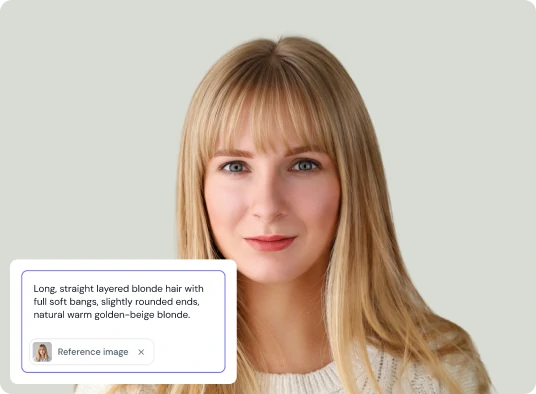
AI Bangs Filter Use Cases
Preview a fringe before you commit, then use the image however you need.
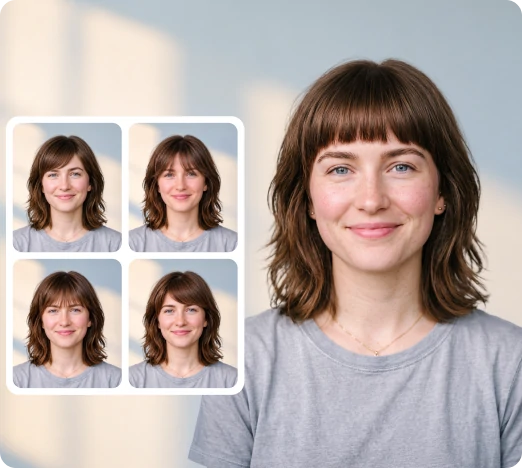
Salon and Barber Visits
Show your stylist the exact fringe you want instead of describing it in words.
Social Media and Polls
Share before and after shots and let your friends vote on the look.
Stylist and Salon Content
Create visual examples of different fringe styles for clients and social posts.
Wigs and Clip-In Bangs
Preview a fringe before buying clip-in bangs or a wig with a front fringe.
Frequently Asked Questions
Built by the team behind FreeConvert, trusted by millions worldwide, ClipSnap brings the same secure and reliable experience to AI-powered photo editing.