Remove Glare from Photo
Remove glare and reflections from any photo in seconds. Free, automatic, and powered by AI.


How to Remove Glare from Photo
Follow these 3 easy steps to remove glare from photos and get a clean, natural-looking result in seconds.
Upload Your Photo
Drag and drop, paste, or select the photo you want to fix. ClipSnap's AI glare remover supports JPG, JPEG, PNG, and WebP formats. Glare removal starts as soon as your upload is done.
Remove Glare Automatically
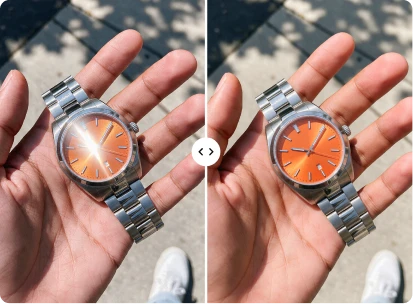
Our AI finds the glare and reflections in your photo and removes them in seconds. No brush, no masking, and no settings. Click Compare and drag the slider to see the before and after.
Download or Keep Editing
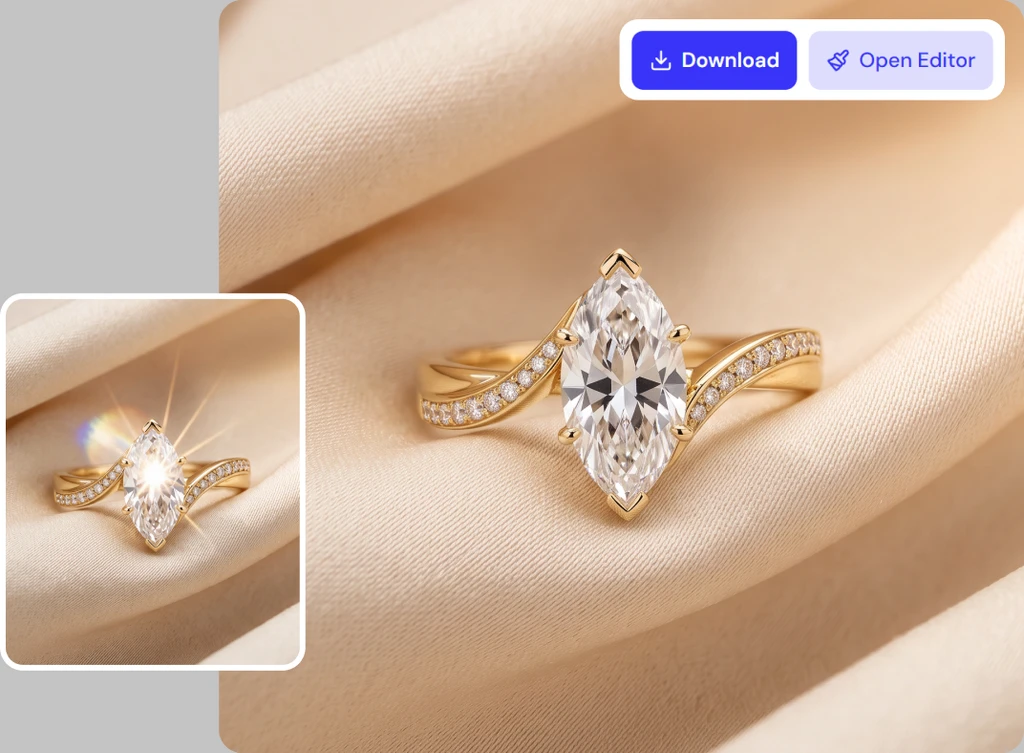
Download your finished photo instantly as a JPEG, PNG, or WebP file. Want to do more? Click Open Editor to keep editing the same photo with ClipSnap AI.
Clear Photos, Natural Results
AI glare removal for glasses, sunlight, highlights, and flash

Features of ClipSnap AI Glare Remover
Automatic Glare Detection
Our AI finds the glare in your photo on its own. No brush, selection, or settings needed.
Remove Glare in Seconds
Upload your photo and get a cleaner, natural-looking result in seconds. No extra steps needed.
Handles Common Glare Types
Reduces glasses glare, sun glare, flash spots, harsh highlights, reflections, and lens flare.
Keeps Details Natural
Faces, skin texture, colors, and fine details stay natural and true to your original photo.
Before and After Compare
Click Compare and drag the slider to check every change before you download your new photo.
Multiple Download Formats
Download your finished photo instantly as a JPEG, PNG, or WebP file. Pick the format you need.
No Signup Required
Start removing glare right away. No account, no software to install, and no editing skills.
Works on Any Device
Remove glare from photos in desktop or mobile browsers across iOS, Android, Mac, and Windows.
Remove Glasses Glare from Any Portrait
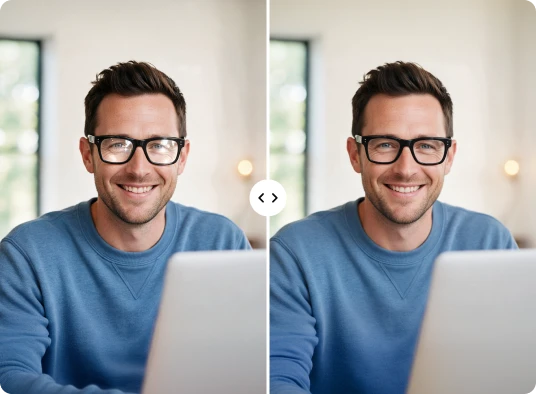
Glasses glare can hide your eyes and pull attention away from your face. It often comes from ring lights, screens, windows, or camera flash. With ClipSnap, you can remove glasses glare from photos without any manual retouching. Just upload your portrait and our AI finds the reflection on your lenses and reduces it. Your eyes are easier to see, while your face, frames, and skin texture stay natural. It is a quick way to remove reflection from glasses in photos for headshots, profile pictures, and family shots.
Remove Light Glare and Sun Glare from Photos
Bright sunlight and strong indoor lights can wash out parts of your photo. Harsh highlights flatten skin, clothing, and scenery, while lens flare adds haze and streaks. ClipSnap helps you remove light glare from photos in one step. Upload your image and our AI reduces the bright, washed-out areas so more of your photo's detail comes through. It also helps you remove sun glare from photos taken outdoors, at the beach, or while traveling. Unaffected areas stay as they are, so your photo keeps its natural look.

Remove Reflections and Flash Glare from Photos
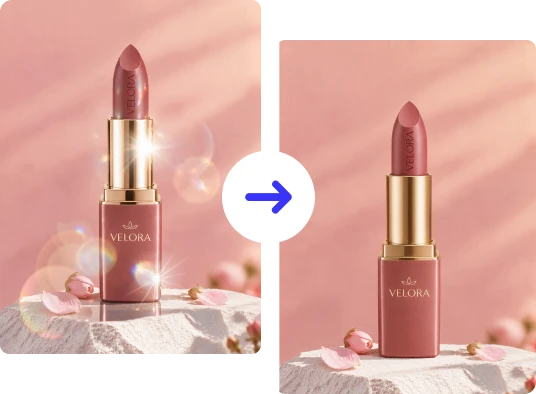
Shiny surfaces reflect light in ways that are hard to control. Glass, metal, plastic, and glossy packaging often catch flash spots and bright hotspots. Windows, water, cars, and screens can do the same. ClipSnap makes it easy to remove reflection from photos without fixing each spot by hand. Upload your image and our AI reduces flash glare and surface reflections automatically. You can also remove glass reflection from photos of polished objects and other shiny surfaces. Get cleaner product photos for your online store in seconds.
Remove Glare from Photo and Keep Editing
Removing glare is often one part of a bigger edit. Traditional editing software means manual work like masking, cloning, and adjusting highlights. ClipSnap's AI photo glare remover handles that for you automatically, saving you time and effort. Once the glare is gone, you can download your photo instantly. If you want to do more, click Open Editor to continue editing the same photo with ClipSnap AI. You can keep improving your image in one place, with no need to upload it again.
AI Glare Remover Use Cases
Create cleaner, natural-looking photos for work, travel, and everyday moments.
Portraits & Selfies
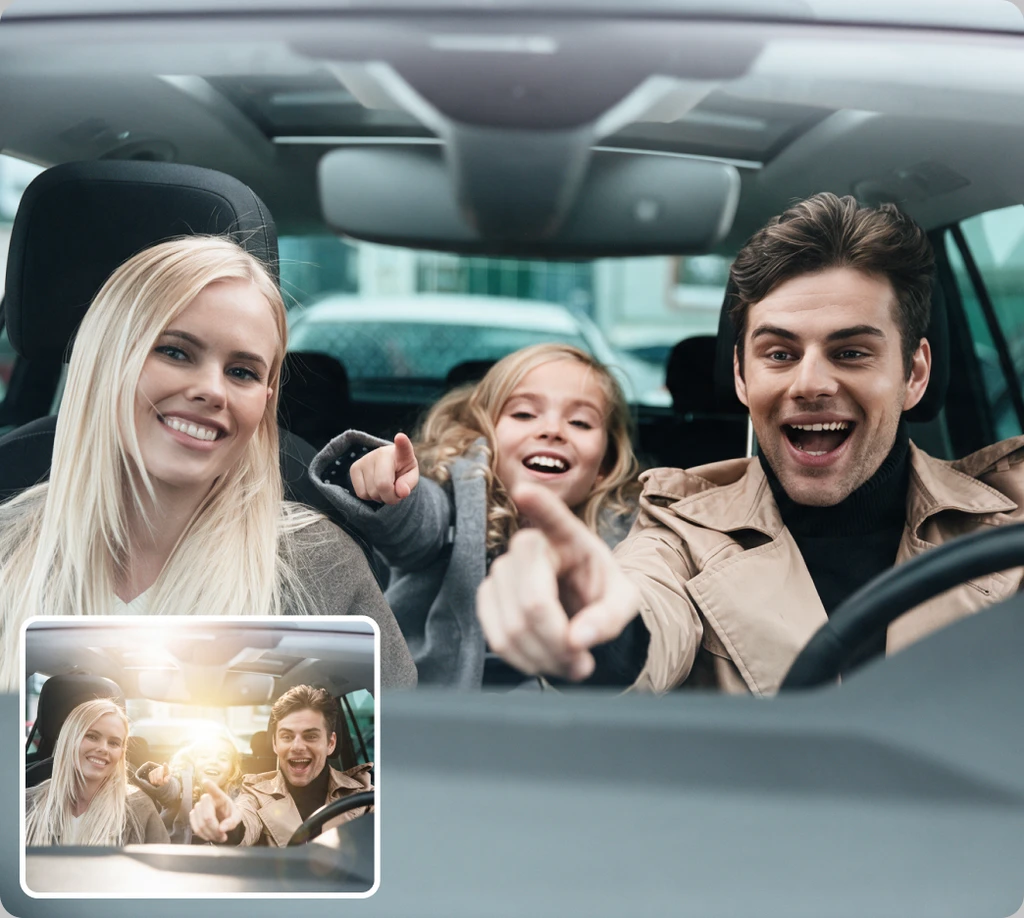
Reduce glasses glare, flash shine, and bright spots on faces.
Travel & Outdoor Photos
Reduce sun glare and harsh light in scenery and group shots.
E-commerce Product Photos
Remove flash spots and reflections from glossy product surfaces.
Everyday Photos
Clean up reflections from windows, screens, water, and lights.
Frequently Asked Questions
Built by the team behind FreeConvert, trusted by millions worldwide, ClipSnap brings the same secure and reliable experience to AI-powered photo editing.