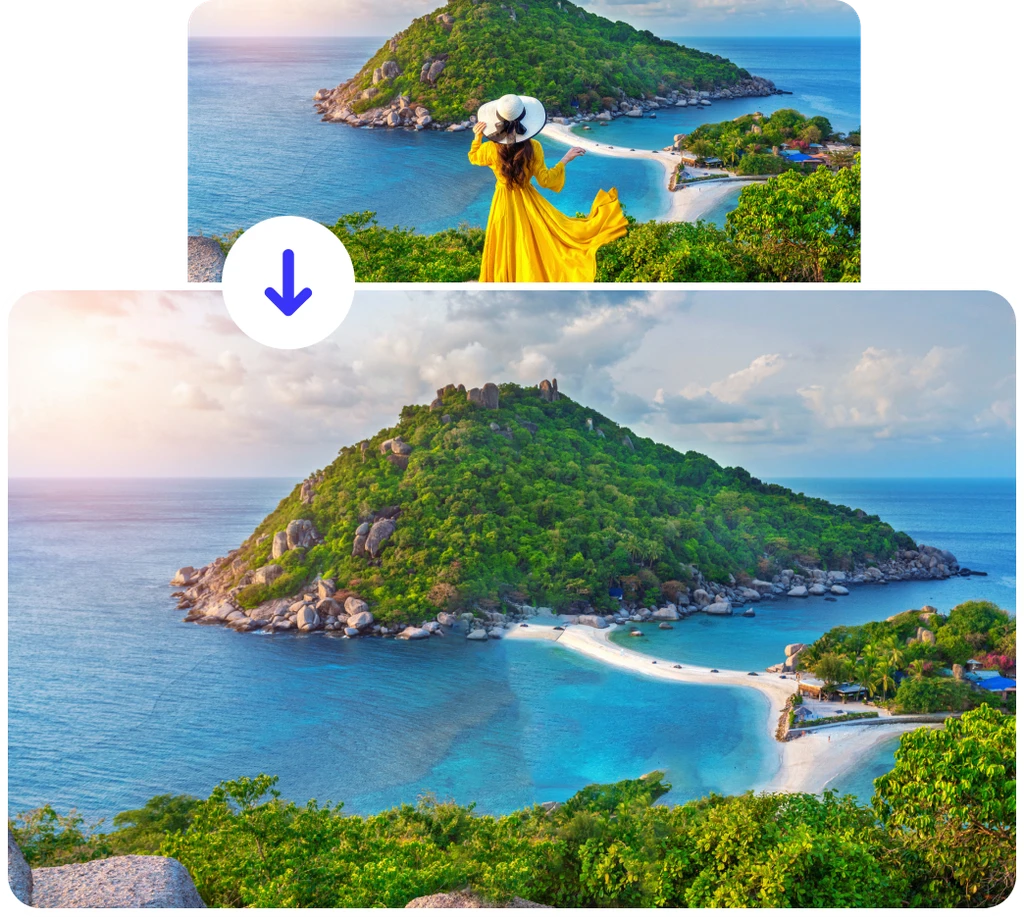
Remove people from photos for free using AI
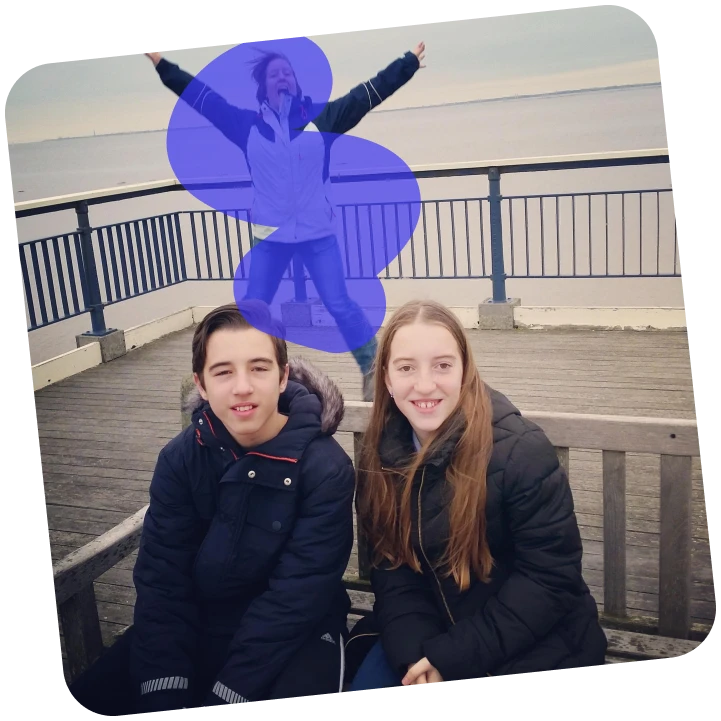
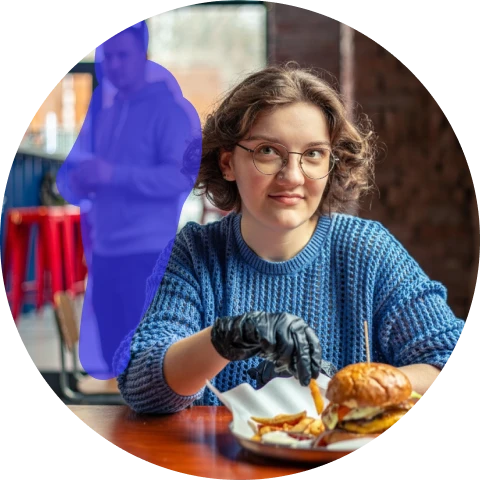



How to Remove a Person from a Photo Online?
Use AI to erase people from photos and produce clean, natural-looking results.
Upload your photo
Click the upload area, paste, or drag and drop your image. ClipSnap loads it instantly into the person remover editor.
Select the person to remove
Use the brush to highlight the person or object you want to erase. Remove as many people from your photo as needed. Clipsnap AI technology will remove those marked people.
Click “Erase” to remove the person from your photo.
Press the "Erase" button, and AI instantly removes the selected person. It seamlessly blends the background to make the photo look natural and untouched.
AI People Removal for Every Photo Type
See how ClipSnap’s AI removes unwanted people from any photo, providing you with clean, natural, and distraction-free results for all types of images.

Powerful AI Person Remover Features
AI-Powered People Removal
Remove people from photos using advanced AI that detects edges, light, and background patterns to produce clean, realistic results.
Erase Anyone Instantly
Whether it’s strangers in the background or unwanted people in a group shot, ClipSnap removes them instantly. No manual editing required.
Keep Background Intact
The AI automatically fills in missing areas, recreating the background with realistic detail and consistent lighting.
One-Click Simplicity
No need for professional tools. Upload your image, choose the area, and remove a person from a photo online for free with one click.
High-Quality Removal
ClipSnap delivers smooth edges and sharp textures, keeping your photos natural even after removing people.
Beginner-Friendly Interface
Simple and intuitive to use for anyone, with a clean layout, guided controls, and absolutely no learning curve.
Free and Online
Remove a person from a photo online for free, with no downloads or watermarks. You can try it directly in your browser.
Mobile and Desktop Ready
Erase people from photos anytime using your phone, tablet, or desktop. It is fully optimized for all devices.
Remove Unwanted People from Photos in Seconds
Crowded backgrounds or photobombers can ruin an otherwise perfect picture. ClipSnap's AI Person Remover Tool addresses this issue instantly. Whether it’s strangers in your vacation photo, passersby in street shots, or extra people in a group picture, AI intelligently eliminates them while maintaining the background's realism. No reshoots or complex editing are needed.
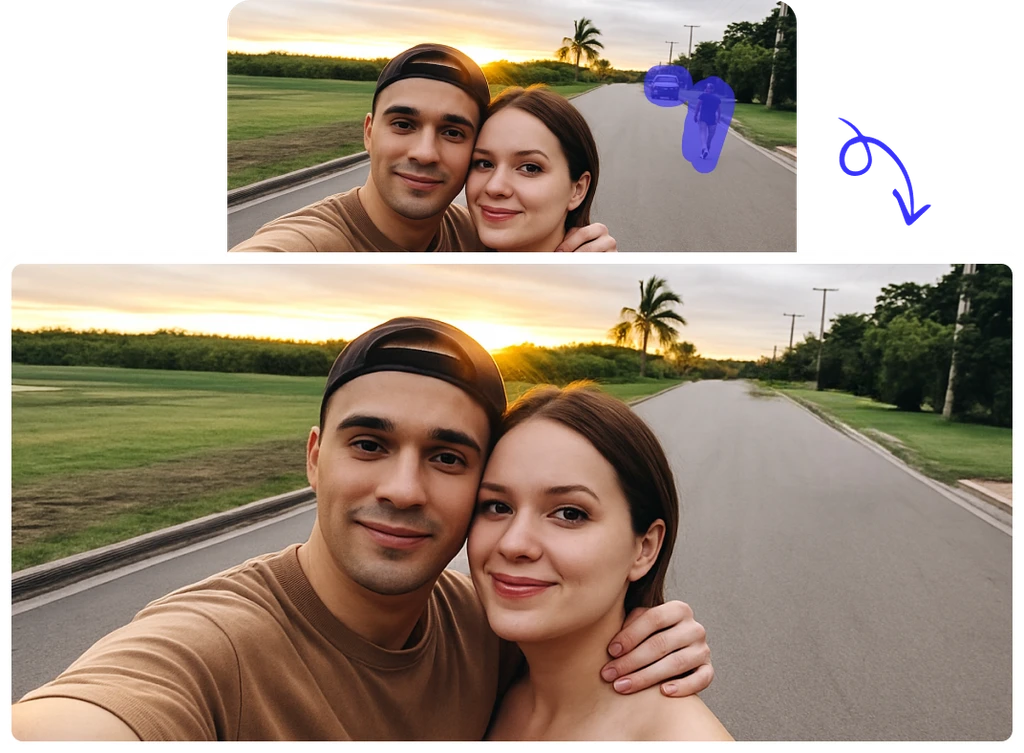
Erase People from Photos with Zero Editing Skills
ClipSnap’s AI people remover makes editing easier. No need for Photoshop or retouching skills. Upload your photo, brush over the person you want gone, and AI automatically fills in the space to match your background. Fast, accurate, and fully online. It’s ideal for creators, photographers, and everyday users.
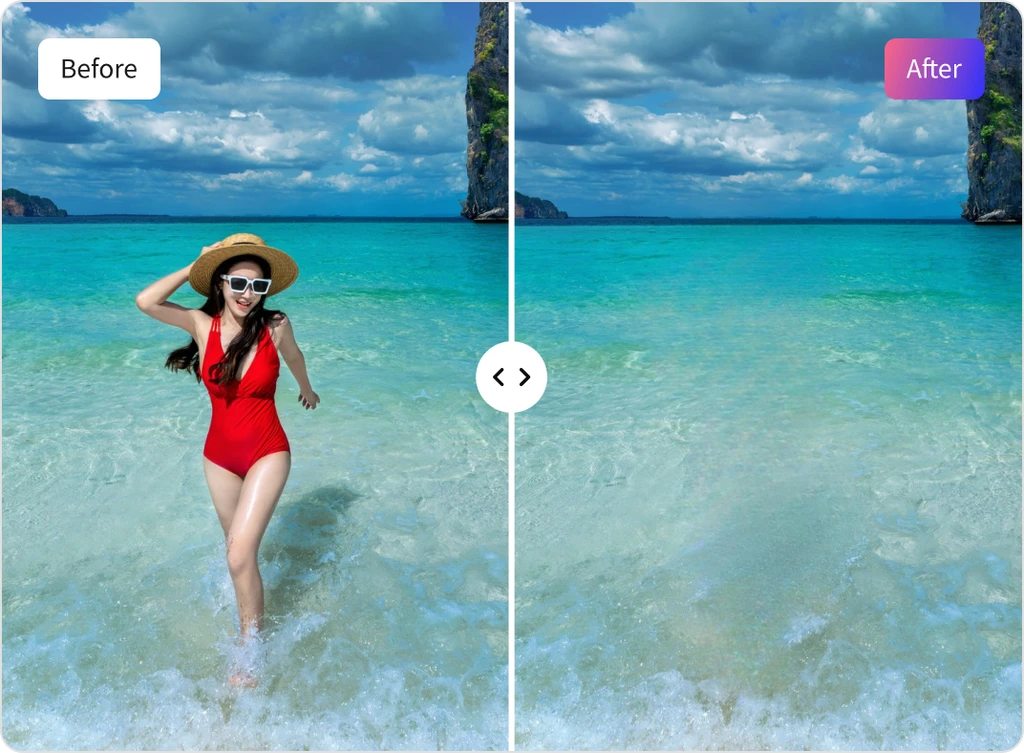
Always Powered by the Best AI Models
ClipSnap’s AI person removal tool utilizes cutting-edge AI models known for their accuracy and natural background reconstruction. We regularly update our models to stay current with the latest technology, ensuring you consistently receive the most precise, realistic, and high-quality results whenever you edit.
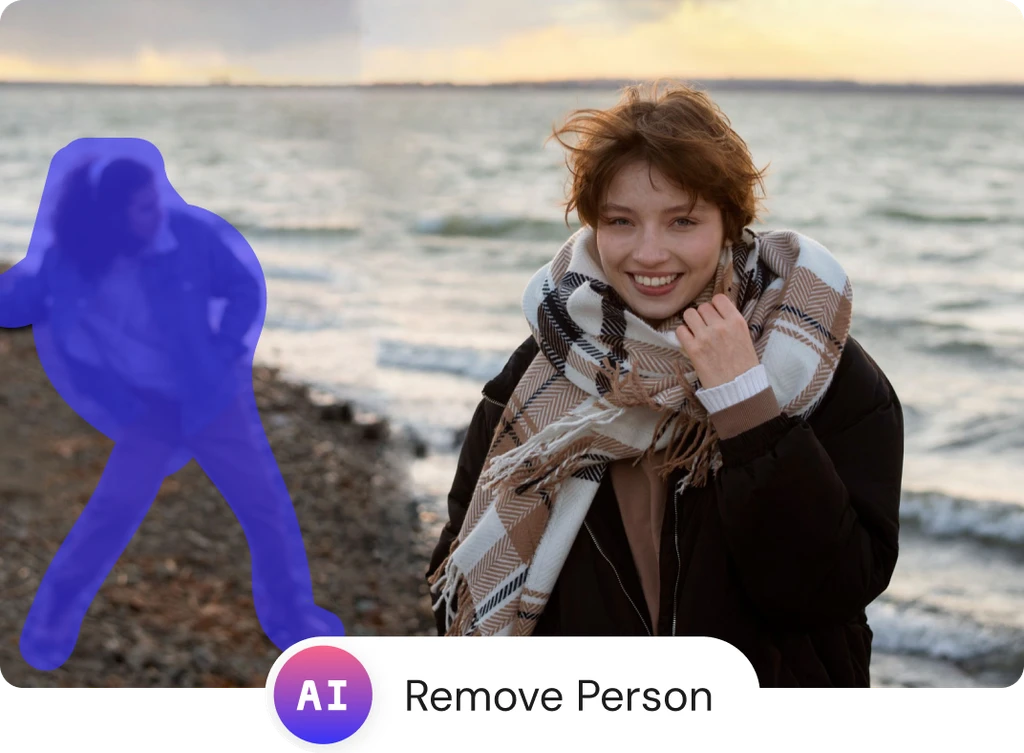
Keep Your Precious Memories Free from Unwanted Distractions
Special moments deserve perfect photos, but random people or distractions can easily spoil them. Whether it’s a wedding, family event, or vacation picture, these unwanted elements divert attention from what truly matters. ClipSnap's AI Person Remover Tool fixes this instantly. With one quick brush and click, you can erase people from photos and keep your memories clear, focused, and exactly as you want to remember them.
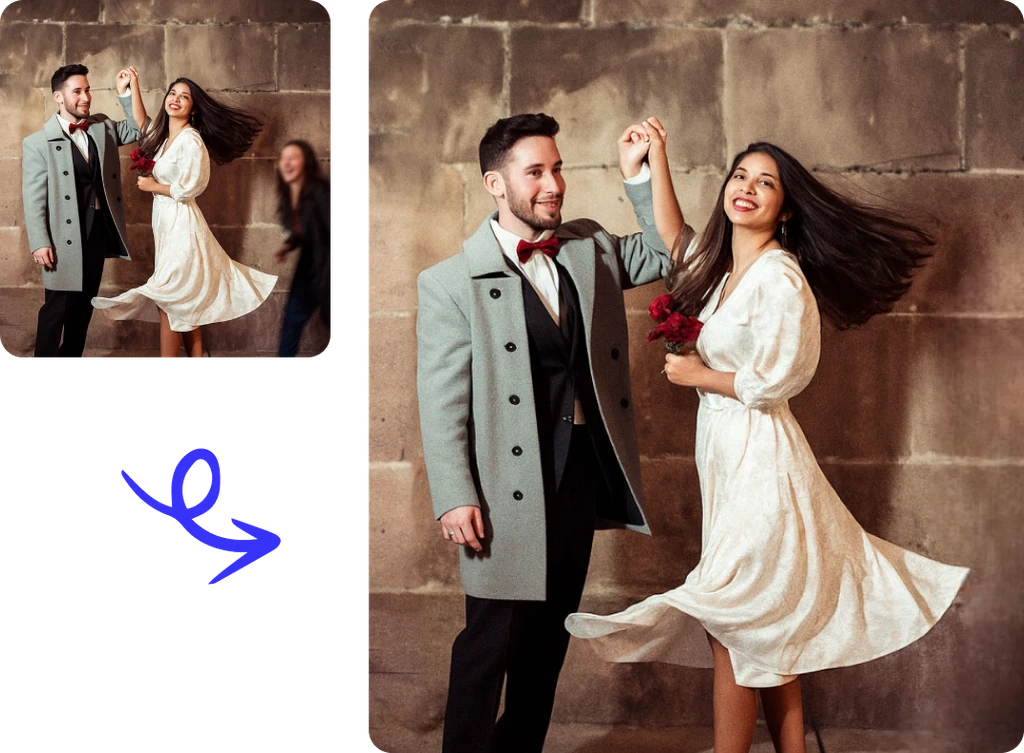
Best Ways to Use the Remove Person Tool
Perfect for cleaning up any person from photo quickly and naturally